Support tickets. Without the complexity.
Because Tickets Shouldn't Park
TicketsOnWheels helps your team receive, organize, assign, track, and resolve support requests from one clear interface.
Ticket management shouldn't become another problem to manage.
The support work itself is usually manageable. Keeping track of it is what wears a team down.
-
The problem: Requests get lost between inboxes and hallway conversations.
With TicketsOnWheels: Every request becomes a ticket with its own reference number, whether it arrives through the web form or a connected support mailbox.
-
The problem: Nobody is quite sure who owns a ticket.
With TicketsOnWheels: Tickets are assigned to a team and a technician, and the queue shows exactly what is still waiting for an owner.
-
The problem: It's hard to see what needs attention first.
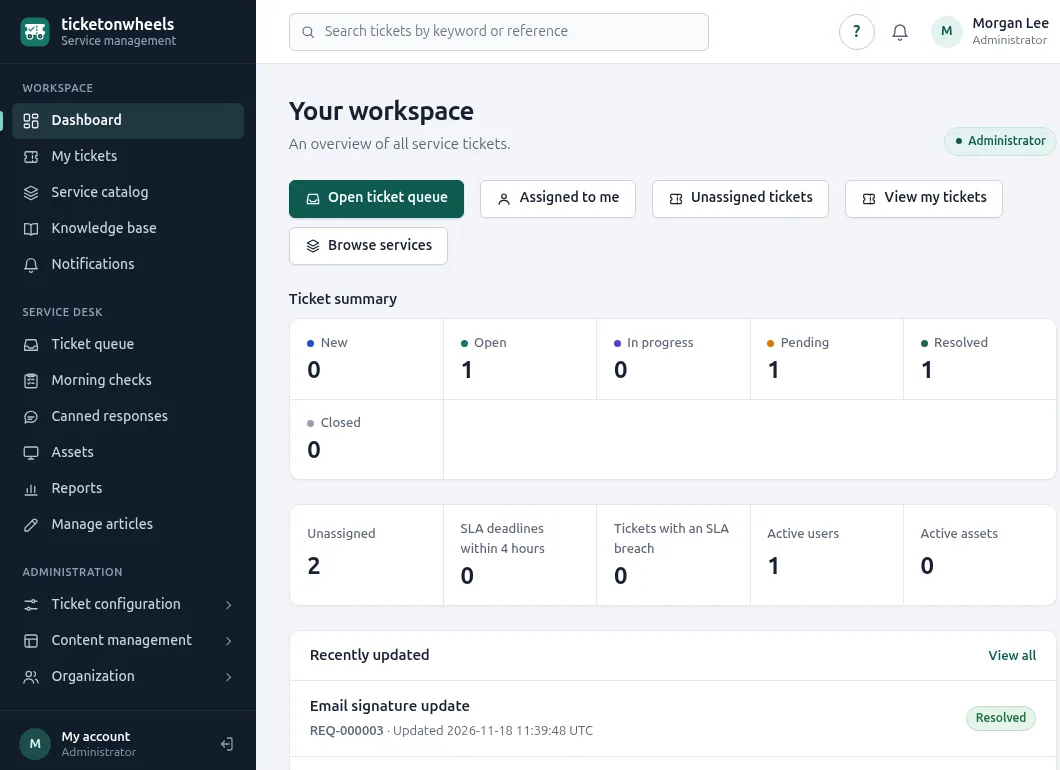
With TicketsOnWheels: The dashboard brings open work, unassigned tickets, and approaching SLA deadlines to the surface.
-
The problem: The same answers get typed again and again.
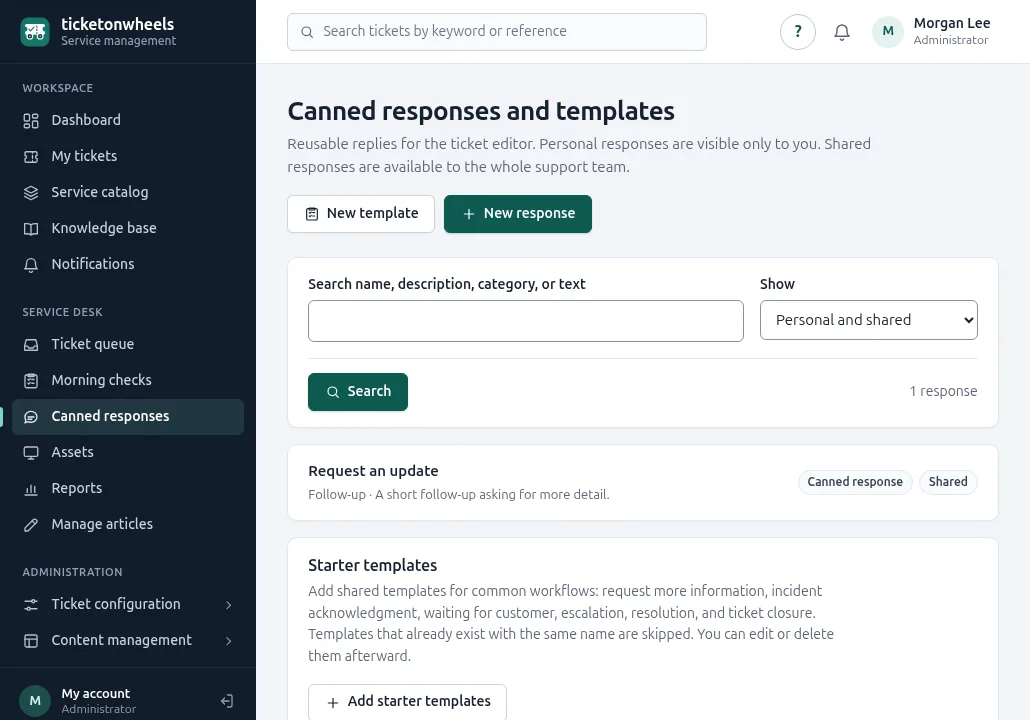
With TicketsOnWheels: Canned responses and response templates keep proven replies a click away.
-
The problem: Administration eats into the time meant for helping people.
With TicketsOnWheels: Categories, priorities, statuses, and teams are set up once in plain settings screens.
-
The problem: The tool becomes more complicated than the work.
With TicketsOnWheels: TicketsOnWheels focuses on the everyday support workflow, so there is less to learn and less to maintain.
Spend less time managing your ticket system and more time helping people.
Everything you need to keep support moving
Structure where it helps, simplicity everywhere else. Here is what that means for your team from day to day.
Join the notification list-
Stay organized
Requests land in one shared queue with a category, priority, and status, so nothing depends on someone's memory.
-
Know who's handling what
Assign tickets to a team and a technician. Everyone can see who owns a request and what still needs an owner.
-
Respond faster
Reuse canned responses and response templates for the questions you answer every week, with variables that fill in the details.
-
Keep users informed
Requesters follow every reply on their ticket and receive email and in-app notifications when it is created or updated.
-
See what's happening
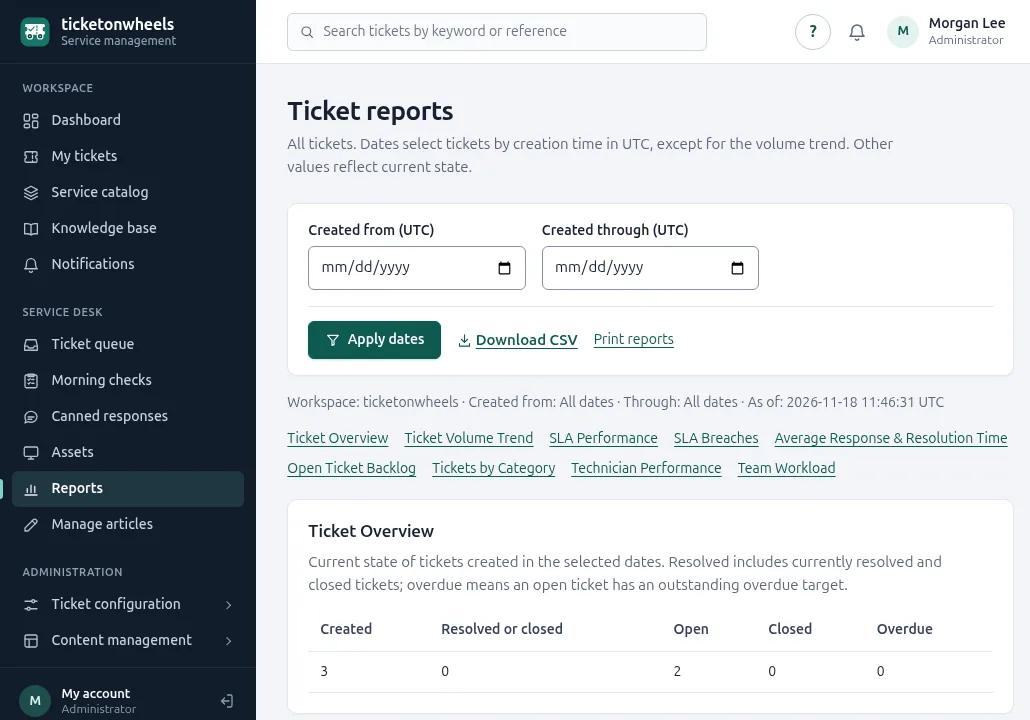
The dashboard shows the workload at a glance, and printable reports with CSV export show where time and attention go.
-
Work your way
Shape categories, priorities, statuses, SLA policies, and teams to fit, without turning daily ticket handling into a configuration project.
How it works
Three steps from the first message to a resolved request.
-
Receive
Support requests from the web form or a connected support mailbox become structured tickets.
-
Manage
Prioritize, categorize, assign, and respond from one place.
-
Resolve
Track the request through to resolution while its full history stays available.
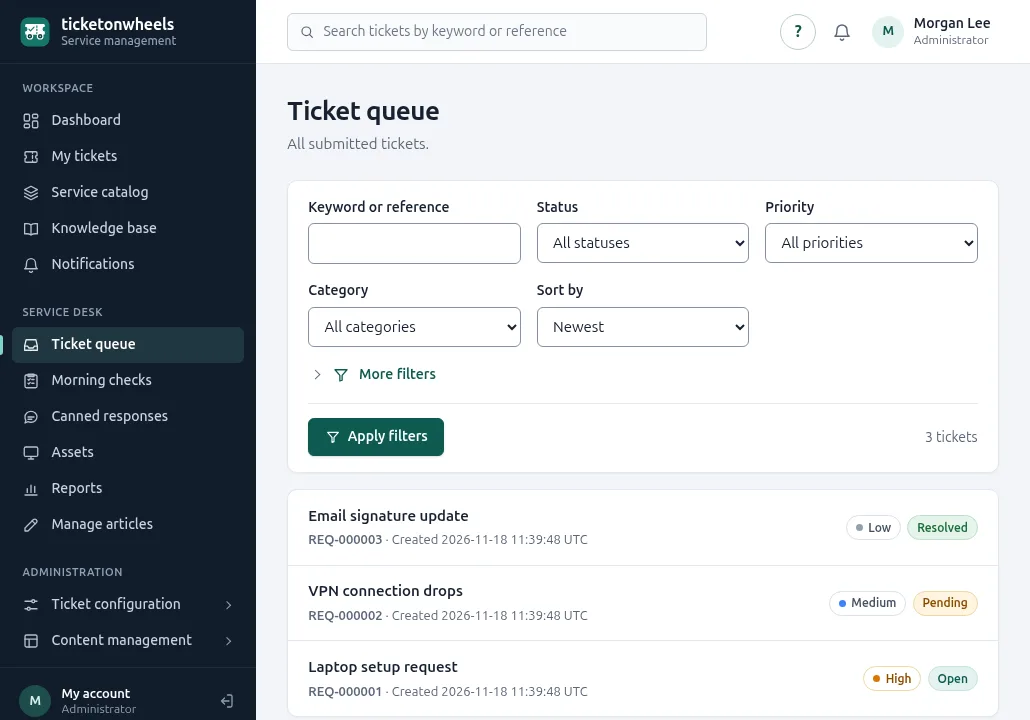
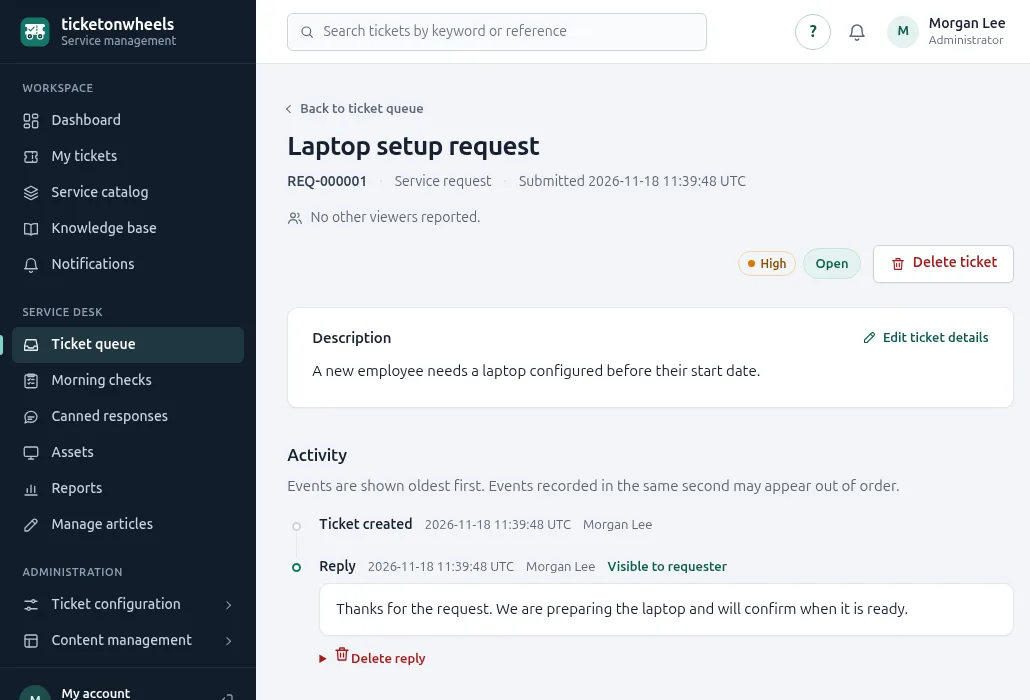
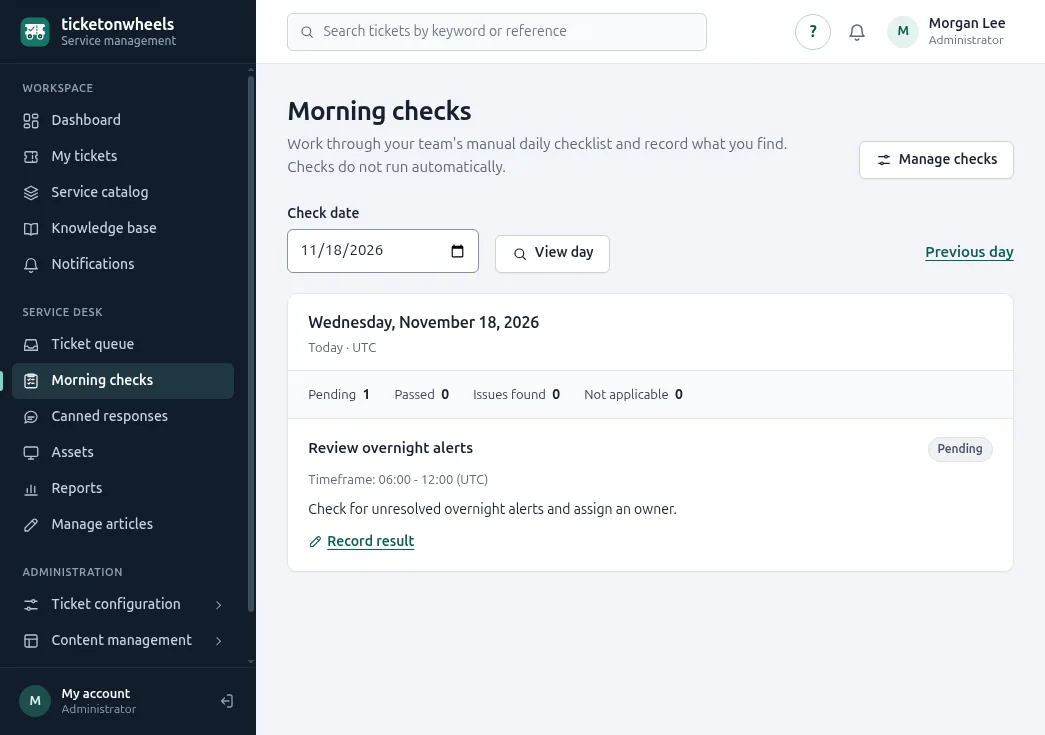
Know exactly what needs attention.
Real screens from TicketsOnWheels, shown with demo data.
Built for teams that need support to stay simple
If your team answers requests from colleagues or customers and wants one shared, clear way to work through them, TicketsOnWheels is made for you.
- Internal IT teams
- Small and medium-sized businesses
- Help desks
- Service teams
- Technical support teams
What's included
Everything listed here is available in TicketsOnWheels today. The user guide explains how each part works.
Tickets
- Requests by web form or a connected support mailbox
- Attachments, edits, replies, and reopening
- Statuses, priorities, categories, and subcategories
- Assignment to teams and technicians
- Queue search and filters
- Time tracking
- See who else is viewing a ticket
- Complete activity history
Responding
- Personal and shared canned responses
- Favorites and recently used replies
- Response templates that propose ticket changes
- Email notifications for new and updated tickets
- In-app notifications
- Satisfaction ratings
Oversight
- Dashboard
- Daily morning checklists for your team
- SLA policies with response and resolution targets
- Nine printable reports with CSV export
- Audit log
Customers and self-service
- Customers with their contacts
- Client portal for invited contacts
- Service catalog
- Knowledge base
- Asset register
Administration
- Users and teams
- Administrator, agent, and requester roles
- Permissions
- Optional public registration
- Built-in user guide with help on every screen
ITSM doesn't have to be complicated.
TicketsOnWheels is built around the work support teams do every day: taking in a request, deciding what matters, getting it to the right person, and closing it out properly.
Everything else stays out of the way until you need it.
- Less complexity.
- More clarity.
- Better support workflows.
Questions teams ask
Short answers about what TicketsOnWheels does. For step-by-step help, read the user guide.
What is TicketsOnWheels?
TicketsOnWheels is web-based help desk and support ticket software. It helps teams receive, organize, assign, track, and resolve support requests from one clear interface.
Who is TicketsOnWheels for?
It is made for internal IT teams, small and medium-sized businesses, help desks, service teams, and technical support teams that want structured ticket management without a complicated IT service management setup.
How do support requests arrive?
Requesters can submit tickets through the web form, and a connected support mailbox can turn incoming email into tickets. Every request receives its own reference number.
Can customers follow their own requests?
Yes. Customers are kept with their contacts, and invited contacts can use the client portal. Requesters receive email and in-app notifications when their ticket is created or updated.
How does my team see what needs attention?
The dashboard shows open work, unassigned tickets, and approaching SLA deadlines. Printable reports with CSV export show the support workload over time.
Is there documentation?
Yes. The user guide explains each task for requesters, support staff, and administrators, and every screen links to its help.

Because Tickets Shouldn't Park
Start managing support requests with a system designed to keep ticket management clear and practical.